Home / Prismm alternative
The 3D Prismm alternative for event professionals
Prismm (formerly AllSeated) is being folded into Cvent Event Diagramming. If 3D design is how you sell events, Event Design App lets you keep designing in 3D, with your own products, in your client's real venue, right in the browser.
Last updated: October 2026
What's happening to Prismm
Cvent acquired Prismm (formerly AllSeated) in 2025 and is moving its users to Cvent Event Diagramming. According to Cvent's migration resources:
- August 26, 2026: new events can only be created in Cvent Event Diagramming.
- Through June 2027: existing Prismm events can still be edited.
- June 2027: Prismm access ends, and past work stays in Cvent as view-only.
- Templates, favorites and object groups don't move automatically and must be recreated.
Source: Cvent: Prismm to Cvent Event Diagramming migration
If you're choosing where to rebuild your work, it's worth choosing once.
Why Event Design App for former Prismm users
Your own products in 3D
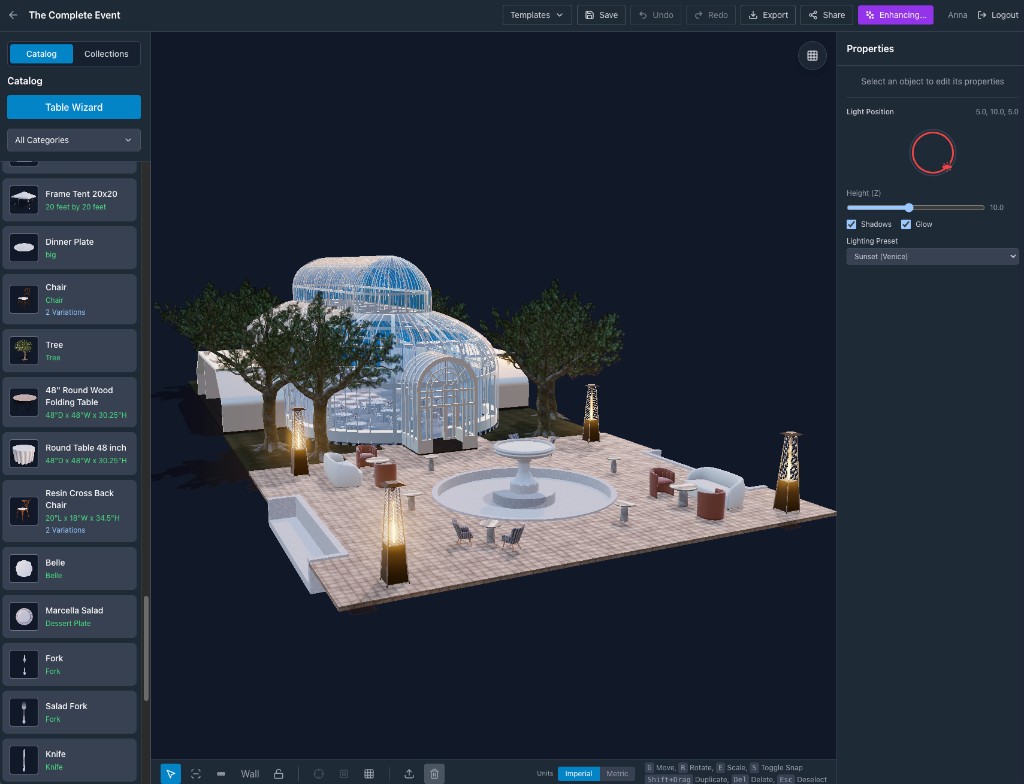
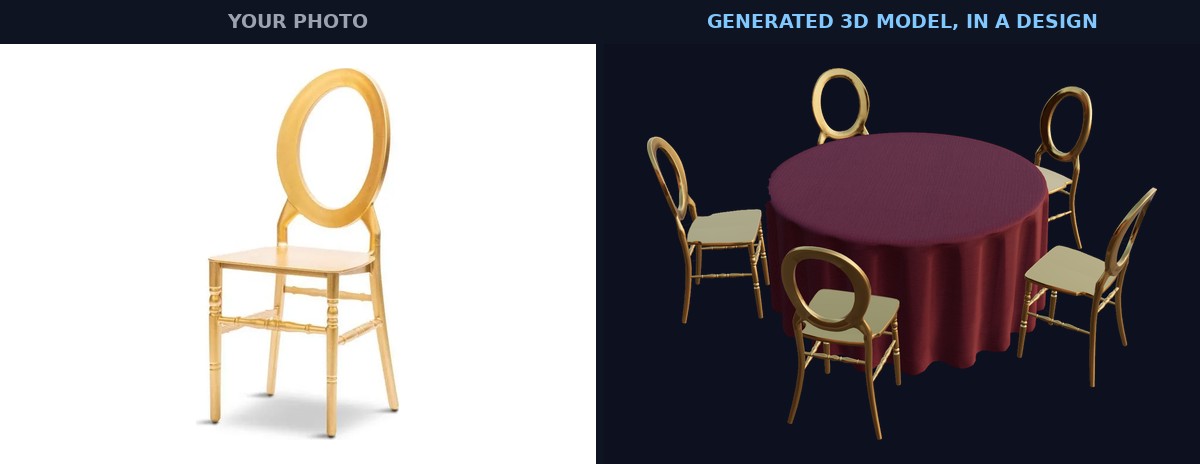
Snap a photo of any piece you own and AI turns it into a 3D model for your catalog. You're not limited to a preset library.
The real venue, not a generic room
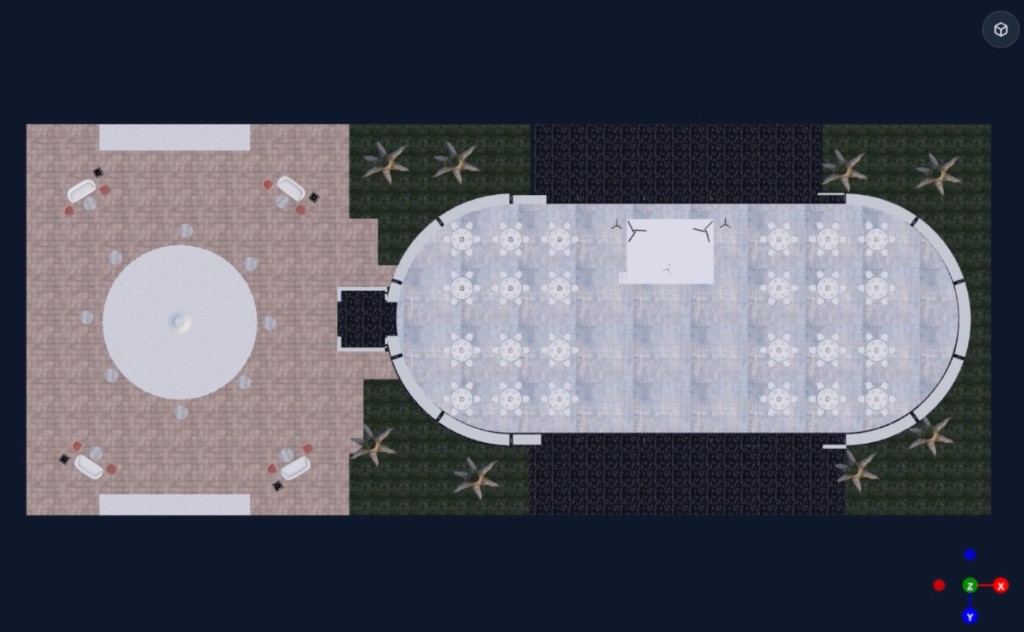
Generate a 3D venue from photos of the actual space, upload a floor plan and measure one wall while AI scales the rest, or import a true-to-scale Google aerial map for outdoor sites.
Real tents, stages and draping
Configure frame, pole, sailcloth and high-peak tents with sidewalls, build modular stages with an automatic parts list, and shape pipe and drape, ceiling drapes and backdrops.
Photorealistic results that sell
Create AI renders and video walkthroughs, and send a link clients can open and explore in 3D.
Nothing to install
Runs in any modern browser on laptops, tablets and phones.
Built by event people
Made by the team behind Rentopian, the event rental software platform.
Bring your Prismm floor plans with you
-
1
Export what you need from Prismm
while it's still editable: floor plans as PDF or image, plus any object lists.
-
2
Upload a floor plan image
to Event Design App and measure one wall. Floor Plan AI scales the rest and turns it into a 3D-ready venue.
-
3
Rebuild your favorite setups once
and save the venue, so every future event starts from it.
Event Design App vs. Prismm vs. Cvent Event Diagramming
How the options compare for 3D event design
| Event Design App | Prismm | Cvent Event Diagramming | |
|---|---|---|---|
| Status | Active, in development | Being retired; access ends June 2027 | Cvent's replacement for Prismm |
| Runs in the browser | Yes | Yes | Yes |
| 2D floor plans and 3D views | Yes | Yes | Yes |
| Turn a product photo into a 3D model | Yes (AI) | Not listed | Not listed |
| Build a 3D venue from photos | Yes (AI) | Not listed | Not listed |
| Floor plan image to scaled venue | Yes (Floor Plan AI) | Not listed | Not listed |
| Tent builder with sidewalls | Yes | Not listed | Not listed |
| Stage builder with parts list | Yes | Not listed | Not listed |
| Photorealistic AI renders | Yes | 3D visualization | Not listed |
| Seating charts and guest lists | Not the focus | Yes | Yes |
Based on public information as of October 2026. 'Not listed' means we couldn't find it in the vendor's public materials.
Is Event Design App the right fit?
A great fit if you:
- Sell events with 3D visuals and want them to look like the real thing
- Rent or own inventory you want to design with
- Design tents, staging, draping or outdoor sites
- Want clients to explore the design before install day
Not the best fit if you:
- Mainly need seating charts, guest lists and RSVP management. A dedicated seating tool or Cvent Event Diagramming may suit you better.
Frequently Asked Questions
Is Prismm shutting down?
Prismm, formerly AllSeated, is being folded into Cvent Event Diagramming. Since August 26, 2026, new events can only be created in Cvent Event Diagramming. Existing Prismm events can be edited until June 2027, when Prismm access ends and past work becomes view-only.
Is AllSeated the same as Prismm?
Yes. AllSeated renamed itself Prismm in January 2024, and Cvent acquired it in 2025.
Do I have to move to Cvent Event Diagramming?
No. Cvent is moving Prismm accounts to Cvent Event Diagramming, but you can pick any tool. If 3D design, custom products and photorealistic visuals matter to you, compare 3D capabilities before you rebuild your templates.
Can I bring my Prismm floor plans into Event Design App?
Yes, as images. Export your floor plans from Prismm as PDF or image while they're still editable, upload the image to Event Design App, and measure one wall. Floor Plan AI scales the rest. Event Design App can't import Prismm project files directly.
Does Event Design App do seating charts and guest lists?
That isn't its focus. Event Design App is built for designing and selling the look of an event in 3D: layouts, tents, stages, draping, décor and your own products. If seating and RSVPs are your main need, a dedicated seating tool may be a better fit.
Can I use my own furniture and décor?
Yes. Upload a photo of any product and AI creates a 3D model you can save to your catalog and use in any design.
How much does Event Design App cost?
There are three plans: Free, Plus and Pro. Plus and Pro include the AI features, like Image to 3D, Floor Plan AI and photorealistic renders. See current plans on the pricing section.
Is Event Design App affiliated with Prismm or Cvent?
No. Event Design App is independent and isn't affiliated with Prismm, AllSeated or Cvent.
Rebuild once, in 3D.
Set up your first venue in Event Design App before your Prismm events go view-only.
Start designingPrismm, AllSeated, Cvent and Cvent Event Diagramming are trademarks of their respective owners. Event Design App is not affiliated with them. Dates and features are based on public information as of October 2026.